FleetWatch
Live UK train times, and an alarm before your stop.

Reading this on a computer? Point your phone’s camera at the code and it will open FleetWatch on Google Play.
Most rail apps are built for booking a ticket. FleetWatch is built for the journey you already take: what's on the platform now, which train is actually moving, and when to look up from your phone.
It's an Android app for people who take the same trains most days. It shows live departures for any station in the UK, plans the whole trip door to door, follows the train you're actually on, alerts you before your stop and tells you when a delay is worth claiming for. It doesn't sell tickets. It's for everything that happens after you've got one.
How it works
- Pick your stations. Search any station in the UK and set your defaults, so the trains you care about are there when you open the app.
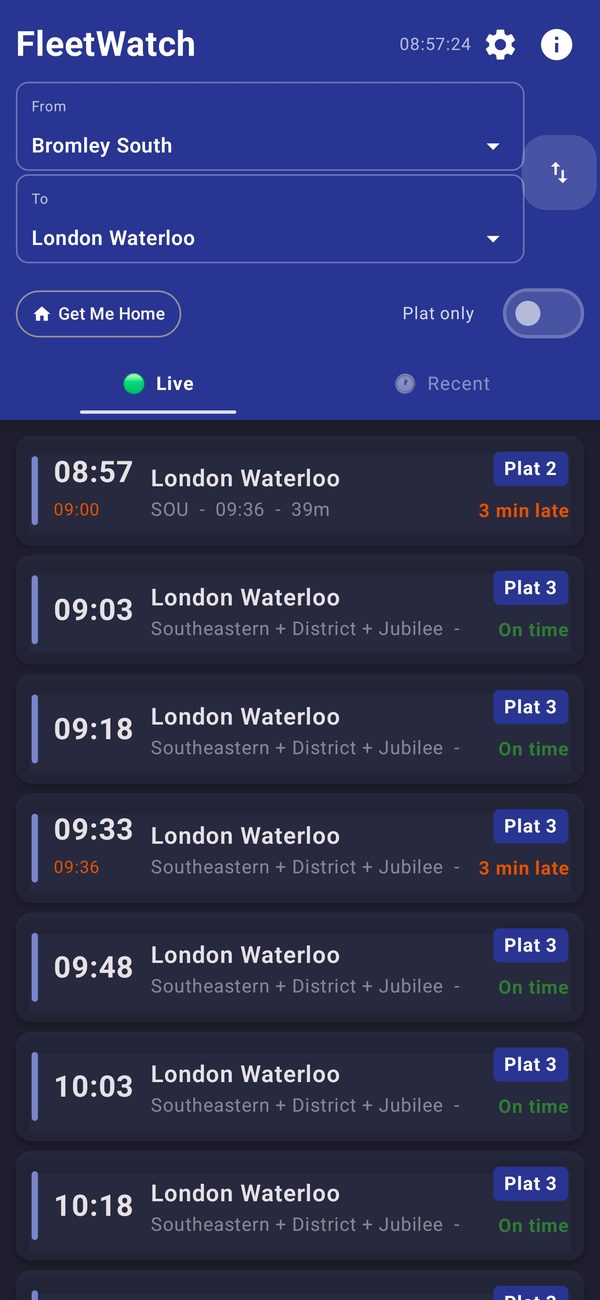
- See what's running. The live board shows platforms, delays and the reason behind them. The Recent tab lists trains that have already left, with where each one is now and how late it is, which is handy when you've just missed one.
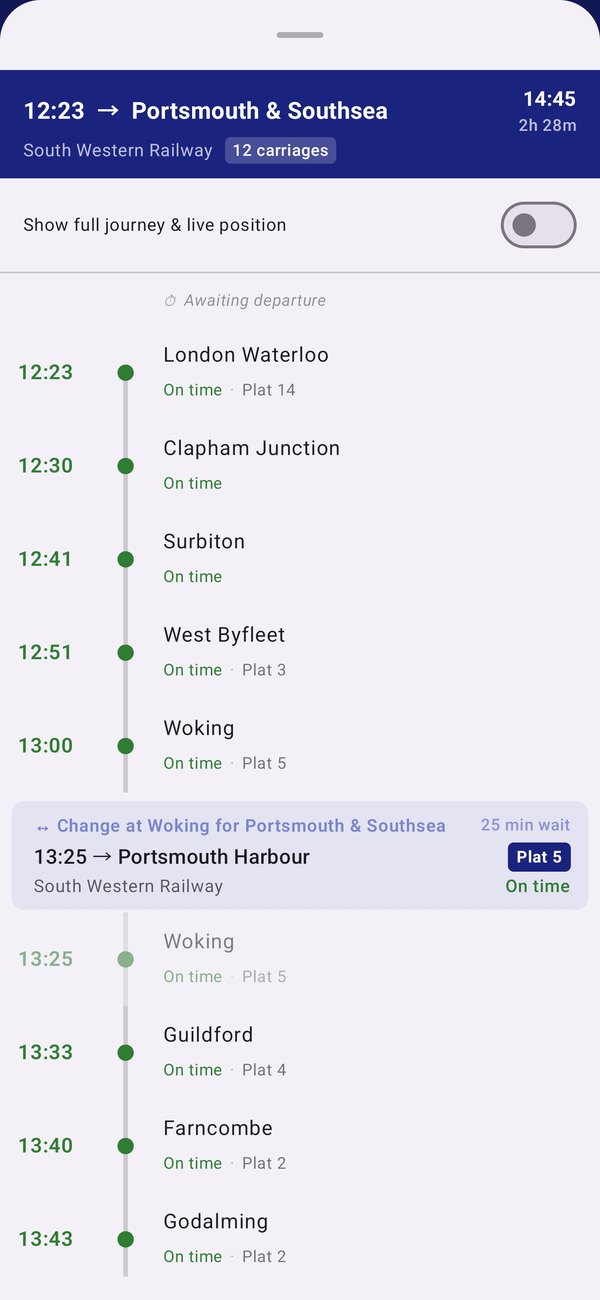
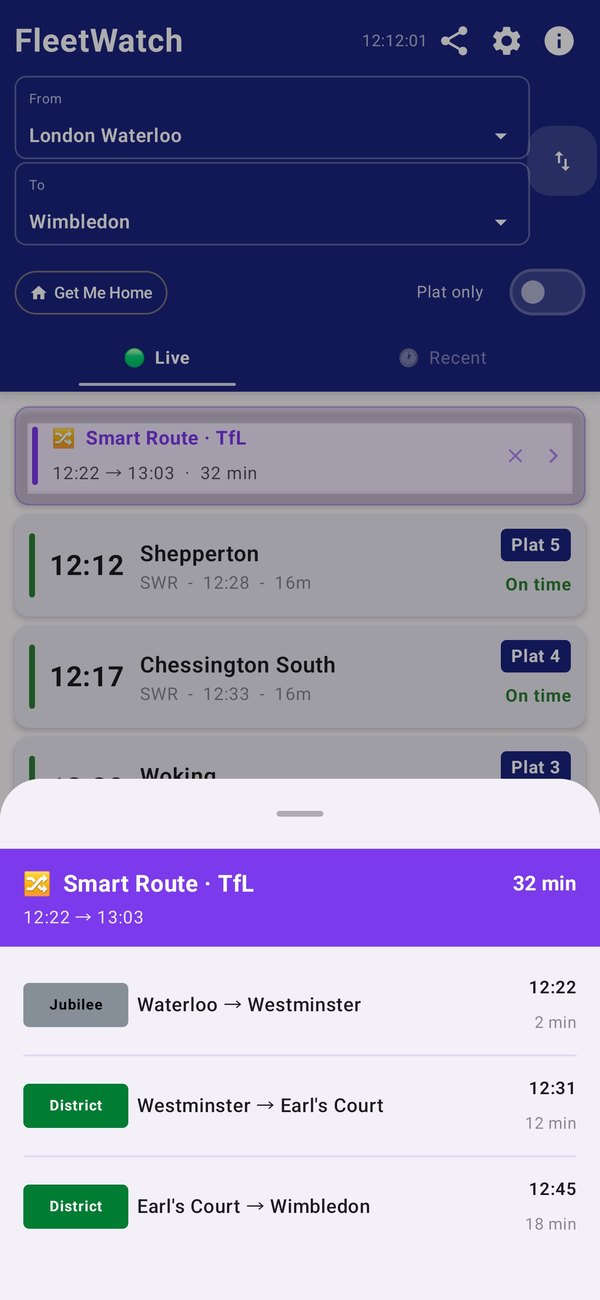
- Plan the whole trip. Journeys run door to door with changes included, even across London on the Underground. If you'd rather stay above ground, there's an option to avoid the Underground.
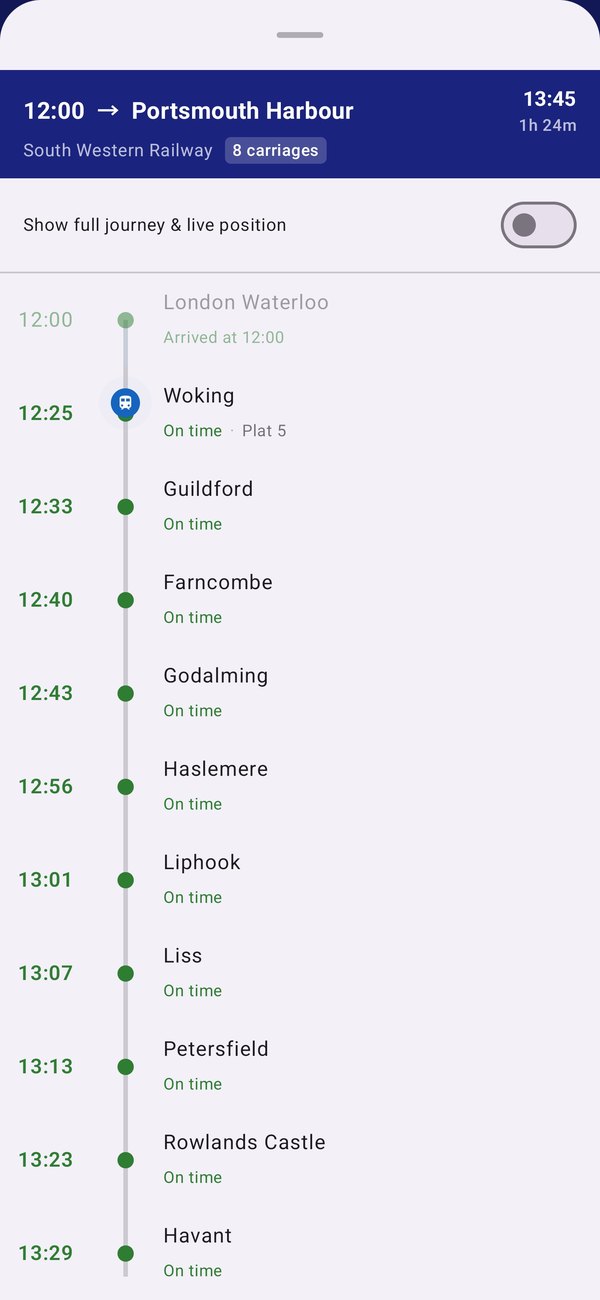
- Board and track. Tell FleetWatch you're on the train. It follows the service from the live timetable, shows where it is between stations, and sounds an alarm with a vibration before your stop.
- When it goes wrong. If something is disrupted on your usual route, Smart Routes suggests a way around it instead of leaving you with a list of cancellations, and journey alerts tell you when a train you watch is cancelled, late or changes platform.
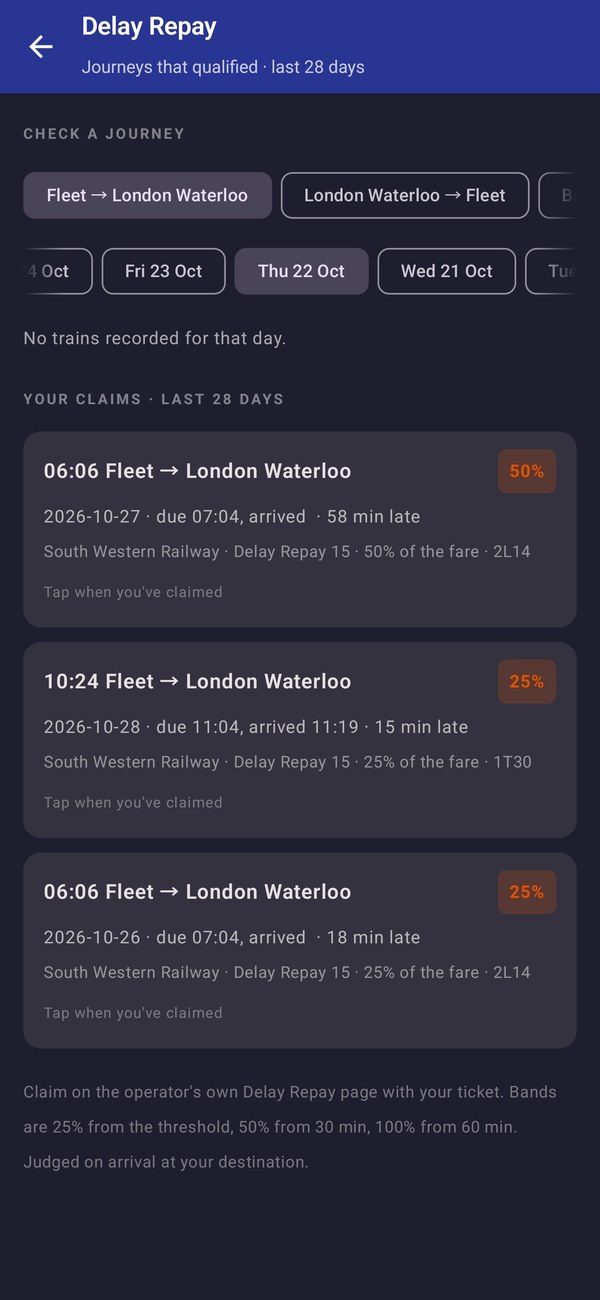
- Claim what you're owed. FleetWatch checks your arrival against your operator's Delay Repay rules, tells you when a journey qualifies and reminds you before the deadline.
What it does
- Live departure boards for any UK station, with platforms, delays and the reason behind them in plain English.
- Door-to-door journeys with a change included, so a two-leg trip reads as one journey rather than two searches. A journey needing two or more changes shows the departures from your station and points you at National Rail's planner instead of guessing.
- Cross-London legs on the Underground. Tube connections and Smart Routes come from Transport for London, so they exist in London only. Trains work anywhere in the UK; the metro and tram networks in other cities are not part of journey planning for now.
- Board and track. Tell FleetWatch you're on the train and the card turns amber, on the board and in Recent afterwards. It follows the service from the live timetable, showing where the train is between stations - and it will track one before you board, so you can see whether the train you are waiting for is actually moving.
- An alarm before your stop, with a vibration and an alarm tone you choose, so you can read, work or doze without watching the window.
- Smart Routes. When something goes wrong on your usual line, it suggests a way around it rather than just telling you it's cancelled.
- Journey alerts for the trains you watch: a notification when one is cancelled, late or changes platform, even with the app closed.
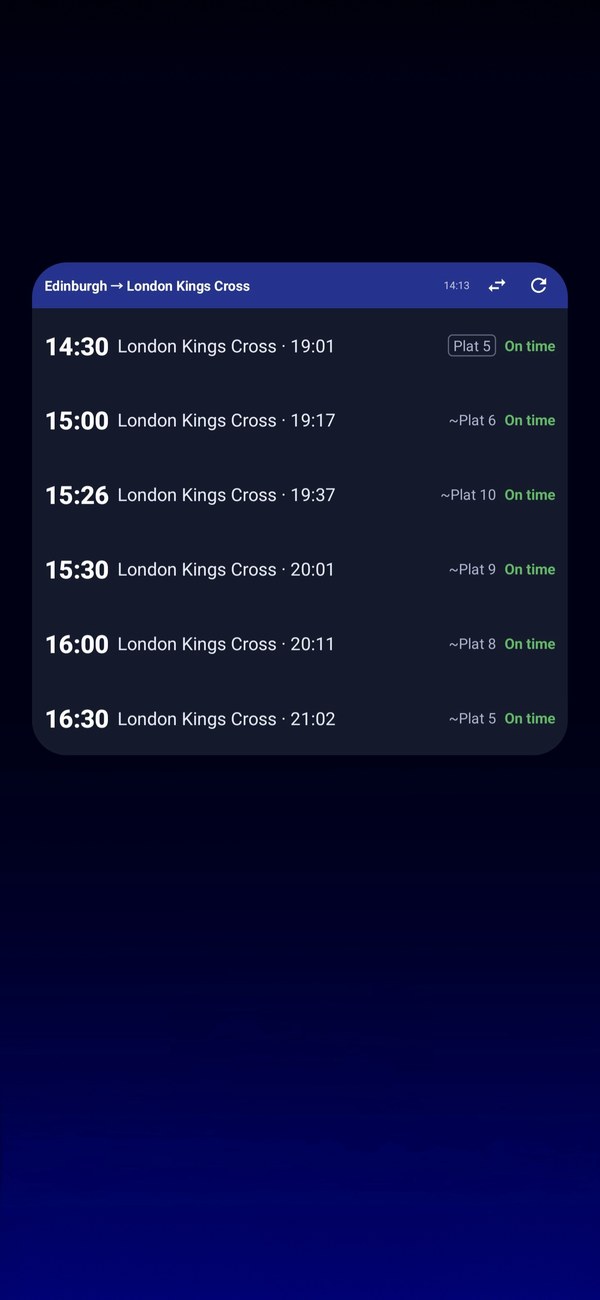
- A home-screen widget with your next trains, which can turn round for the journey home after midday.
- Delay Repay, without the arithmetic. It checks your arrival against your operator's rules, judges you on the next train that ran if yours was cancelled, prepares the details and opens the claim page. The claim itself is yours to send.
- Reliability for each train on your journey over the last 28 days, so you know which to catch.
- Get Me Home for the journey you make most, one tap from opening the app.
- Recent journeys, so the trains you actually catch are always to hand - each one showing where it has got to, by the station it last passed.
- Coach layout and how full each coach is, where the train company shares it, so you can stand where the space is.
- Rail replacement buses shown as "BUS" in place of a platform, so a missing platform is never a mystery.
- Train spotter mode. Switch it on in Settings and the train detail shows the headcode, class, unit numbers and formation, from the railway's own data. It's off until you ask for it.
- Platform predictions from your own history. FleetWatch notes which platform a train used and pencils in "~Plat 8" before the station confirms one. A prediction never triggers the platform-only filter: it is a hint, not a promise.
Who it's for
FleetWatch was built for a real daily commute, by someone who takes it. It suits anyone who catches the same few trains and wants to stop refreshing a timetable: commuters, people changing across London, and anyone who'd rather read or doze than watch the window for their station. It works anywhere in the UK, not just on one line.
FleetWatch for your train company
It works with every train company in the UK. These pages cover the main ones, with where they run and where to claim Delay Repay:
- FleetWatch for South Western Railway
- FleetWatch for Great Western Railway
- FleetWatch for Southern
- FleetWatch for Thameslink
- FleetWatch for Southeastern
- FleetWatch for Avanti West Coast
- FleetWatch for LNER
- FleetWatch for Greater Anglia
- FleetWatch for CrossCountry
- FleetWatch for East Midlands Railway
- FleetWatch for Northern
- FleetWatch for ScotRail
- FleetWatch for TransPennine Express
- FleetWatch for Chiltern Railways
Or see all train companies.
What it costs
FleetWatch is free to install. Live boards, station search, disruption information and the calling points for your own journey stay free forever.
Everything else is free for your first 14 days. After that it is £6.99 a year, billed through Google Play and cancelled there at any time. There is no one-off purchase and no adverts. The yearly plan covers Get Me Home, boarded tracking with the alarm, Smart Routes, Avoid the Underground, full-journey detail, favourites and the home-screen widget that shows them, journey alerts, Delay Repay, reliability and your full Recent history.
Your data
FleetWatch has no account and no sign-in, and it never asks for your location, because tracking works from live timetable data rather than GPS. Your stations and settings stay on your phone. Journey alerts use a random anonymous ID and a notification token, and the free trial uses a one-way hash of your Android ID so it can't be restarted by reinstalling. The full detail is in our privacy policy.
Live information comes from National Rail.
Questions
Email [email protected].